How to delete screenshots on iPhone
Open Photos, go to Media Types (Collections on iOS 18+, Albums on iOS 16–17), and tap Screenshots. Tap Select, drag across thumbnails or use Select All, then the trash icon. Screenshots are the safest bulk delete in a photo library — most are directions, codes and settings screens needed for a minute.
By Emre, who builds Slean. Updated 1 September 2026.
Screenshots exist for a moment — a boarding pass, a Wi-Fi password, a screen you wanted to show someone — and then they sit in your library indefinitely, because deleting them was never part of the plan. Nobody takes a screenshot with the intention of keeping it forever.
Why they pile up faster than photos
A photo takes deliberate action: open the camera, frame it, tap the shutter. A screenshot takes two button presses from whatever you're already doing, which is why they accumulate without you noticing — a group chat argument you wanted to remember, a recipe, an Instagram post, an error message you meant to search later and never did.
Where they are
- 1Open Photos.
- 2On iOS 18 and later, tap Collections, then Media Types, then Screenshots. On iOS 16 and 17, tap Albums, then scroll to Media Types, then Screenshots.
- 3Tap Select in the top right.
- 4Tap and drag one finger across a row of thumbnails to select a whole block at once, or tap Select All.
- 5Tap the trash icon, then confirm.
The drag-select is the part people miss. Tapping each thumbnail individually through a few hundred screenshots takes a long time; dragging a finger across the grid selects everything the finger passes over, so a whole screen's worth goes in one motion.
The handful worth keeping
Not every screenshot is disposable. Before you select all, it's worth a quick scroll for anything in these categories:
- Receipts and confirmations — proof of a purchase, refund or booking you might need later.
- Tickets and boarding passes without a saved PDF or wallet pass elsewhere.
- Codes — a warranty number, a licence key, a Wi-Fi password for a place you'll visit again.
- Screenshots of a conversation you specifically wanted as a record, not just something you meant to reply to.
Everything else in that album — the vast majority, in most libraries — is disposable. Once it's served its purpose, a screenshot has no ongoing value the way a photo does.
Why screenshots are a safer bulk delete than photos
A photo is evidence something happened — a place, a person, a moment you were physically present for. A screenshot is almost always evidence you were looking at a screen. That distinction is why clearing the Screenshots album rarely causes regret the way deleting real photos can: you're not choosing between memories, you're clearing out captured information that has usually already done its job.
Selecting the whole album and deleting is a reasonable default. If you're not sure, scroll once for the four categories above before you tap Select All — it takes under a minute for most libraries.
Deleted screenshots go to Recently Deleted for about 30 days like anything else, so this isn't a one-way door even if you change your mind about something.
If it's a recurring problem, not a one-off clear-out
Clearing the album once fixes today. It doesn't stop the next 200 from building up the same way. Slean has a screenshot filter for exactly this — screenshots are judged more strictly than photos when it looks for exact repeats, and the filter lets you review and clear the album from inside the same pass you use for the rest of your library.
Android keeps screenshots in a folder rather than a Media Types album, which changes how you get at them in bulk. Here is the Android version.
Questions people actually ask
- Can I delete all my screenshots at once on iPhone?
Yes. Open the Screenshots album under Media Types, tap Select, then Select All, then the trash icon. There's no per-item confirmation needed for a bulk selection.
- Do deleted screenshots count against my iCloud storage while they're in Recently Deleted?
Yes. Anything in Recently Deleted still takes up space, in iCloud too if you use iCloud Photos, until it's permanently removed after about 30 days or you empty the album manually.
- Will deleting screenshots remove the original photo or message they came from?
No. A screenshot is its own independent image file. Deleting it has no effect on the app, website or conversation you were looking at when you took it.
- How do I select a large block of screenshots quickly?
After tapping Select, drag one finger across the grid instead of tapping each thumbnail. The selection follows your finger and picks up every thumbnail it passes over, so a full row or several rows are selected in one motion.
- Why does the Screenshots album include things I don't remember capturing?
The album also picks up anything the system classifies as a screenshot, which sometimes includes captures you do not remember taking. Treat those the same as the rest: glance, then delete.
Sources
Related reading
- How to find similar photos on iPhoneThe Photos app has no similar-photo finder — only a Duplicates album, and that's a different thing. Here is what actually helps, and what still needs an app.
- iPhone storage full? Delete these first, in this orderNot everything you could delete returns the same amount of space. Here's the order that actually works, from long videos down to app caches.
- How to free up iPhone storage without deleting photosReal options that don't touch your library, where each one runs out, and why removing four near-identical shots of one moment isn't really the loss it feels like.
- How to delete screenshots on AndroidScreenshots pile up faster than photos and are safer to bulk-delete. Where they live, why they accumulate, and how to clear them in one pass.
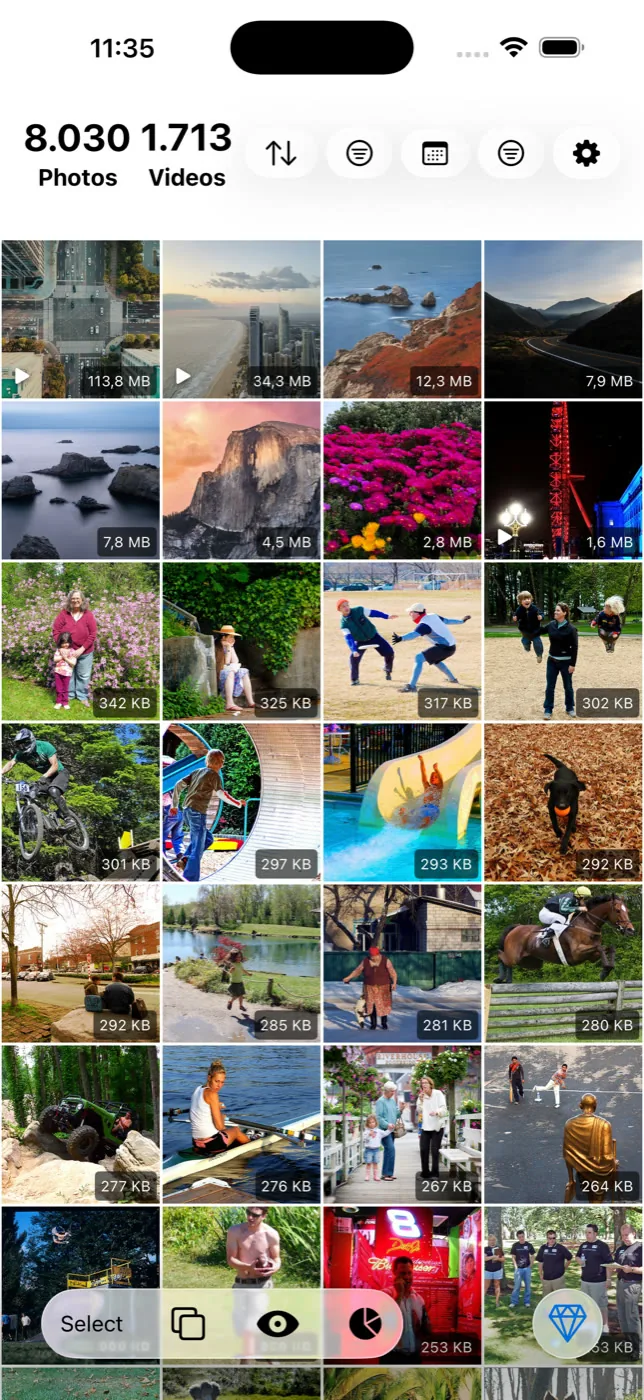
Slean clears screenshots in the same pass as everything else, with the file size on each one.

