How to find similar photos on iPhone
The iPhone Photos app has no built-in way to find similar photos. Its Duplicates album only matches copies of the same file, not bursts, retakes or near-identical shots. Browsing Months view, the Bursts album and Recently Saved gets you partway, but none of them group similar photos the way a dedicated tool does.
By Emre, who builds Slean. Updated 1 September 2026.
If you searched this because the Duplicates album came back empty or nearly empty, that's expected. It isn't looking for what you're looking for.
A similar photo is a different photo — six frames of the same doorway, a retake because the first one was blurry, three attempts at a sunset. Duplicate photos and similar photos are not the same problem, and the iPhone only really solves the first one. This page is about the second.
What you can do manually, and what each one misses
None of these are a similar-photo finder. They're places where similar photos happen to end up next to each other, which is not the same thing but is better than nothing.
Browse by Months or Days
Open Photos and switch out of Years or All Photos into Months, or tap into a single day. Because the camera roll is sorted by capture time, near-identical shots taken seconds apart usually land next to each other on screen. Scrolling a single day after a wedding or a hike will surface a lot of the obvious repeats just by eye.
What it misses: anything not adjacent in time. A photo you retook two years later of the same view, or a screenshot re-saved after editing, won't be anywhere near its match. It also doesn't scale — scrolling day by day through a 20,000-photo library to catch every retake is not a real plan.
The Bursts album
- 1Open Photos.
- 2Go to Media Types (under Collections on iOS 18+, or the Albums tab on iOS 16–17).
- 3Tap Bursts.
- 4Open a burst and Photos shows every frame with the ones it picked as favourites marked. Pick your keeper and delete the rest from within the burst view.
This one genuinely works, for burst photos specifically. What it misses: anything that wasn't shot as a burst. If you took six separate photos by tapping the shutter six times, rather than holding it down, they never get grouped into a burst at all — they're just six ordinary photos sitting in your camera roll.
Recently Saved
Under Media Types (or the Albums tab), Recently Saved shows images saved into Photos from other apps — screenshots you kept, images from Messages, downloads from Safari. If you tend to save the same picture from a chat thread more than once, this is where the repeats surface.
What it misses: it's a recency window, not a similarity check, and it only covers photos that came in from outside the camera. Anything you actually shot with the camera isn't in there.
The systematic pass
The manual approaches work because similar photos are often close together — in time, in a burst, in a save history. They stop working the moment two similar photos aren't close together, which is common: a retake weeks later, a photo you both AirDropped and screenshotted, two attempts at the same landmark on different trips.
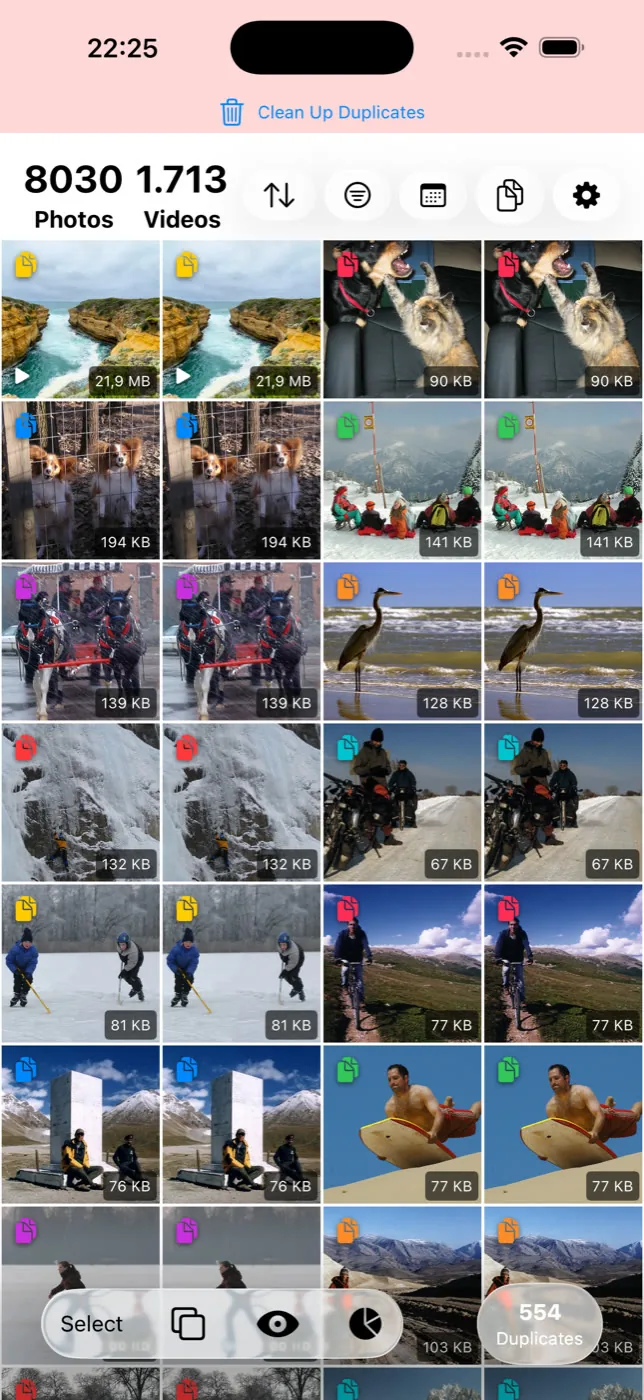
Slean's similar-photo mode compares how photos look across your whole library, not just what's adjacent on screen. Photos taken close together in time and place are more likely to be grouped, which is what pulls a burst back into one set — but it isn't limited to that, and it isn't limited to browsing order. Groups show full-screen with the date, file size and file type, and nothing is deleted until you choose it.
A reasonable order to do this in
Clear the Duplicates album first — it's fast and the decisions are free, since it only ever contains true copies. Then open Bursts and clear anything shot as a burst; it's already grouped for you. After that, a similar-photo scan catches what neither of those touched: retakes, separate attempts at the same shot, and anything saved more than once from outside the camera.
On an Android phone the gap is the same but the free tools are different: Files by Google finds duplicate files, and nothing built in groups near-identical shots. The Android version of this page is here.
Questions people actually ask
- Does the iPhone Photos app have a similar-photo finder?
No. Photos has a Duplicates album under Utilities, which only matches photos that are effectively the same file. There is no built-in feature that groups photos which merely look alike.
- Why don't my near-identical photos show up in the Duplicates album?
Because they aren't duplicates in the strict sense — each one is a distinct photo with different content, even if the difference is small. The Duplicates album is deliberately conservative and only merges copies of the same image.
- Can I find similar photos using the Photos app search?
Not reliably. Search finds photos by content, location or people, but it has no concept of 'photos similar to this one' and won't group near-identical shots together.
- Does iCloud Photos have a similar-photo feature that the Photos app on iPhone doesn't?
No. iCloud Photos syncs your library across devices; it doesn't add a detection feature beyond what's in the Photos app itself, including the Duplicates album.
- Will a burst always be caught by the Bursts album?
Only if it was actually captured as a burst — holding the shutter, or using burst mode. Several separate taps of the shutter button produce separate photos that never enter the Bursts album, even if they look nearly identical.
Sources
Related reading
- Duplicate photos and similar photos are not the same problemA duplicate is a second copy of one photo. A similar photo is a different photo that looks close to it. Most phones only find the first kind.
- What the iPhone's Duplicates album finds, and what it quietly skipsThe Photos app has a built-in duplicate finder. It works well, it is free, and it only looks for copies. Here is where it stops and what to do about the rest.
- How to delete screenshots on iPhoneScreenshots pile up faster than almost anything else in your library, and they're the safest bulk delete you can make. Here's how to clear hundreds in a few taps.
- How to find similar photos on AndroidAndroid finds duplicate files but has no tool for near-identical photos. What Google Photos does instead, and how to clear a library full of them.
Slean groups near-identical shots across your entire library, not just the ones that happen to sit next to each other.

