How to delete screenshots on Android
On Android, screenshots are saved to a Pictures/Screenshots folder, and in Google Photos they appear under Collections, in an On this device folder. They accumulate because taking one has no friction. They are safer to bulk-delete than photos — just pull out the receipts and boarding passes first.
By Emre, who builds Slean. Updated 1 September 2026.
Screenshots are the fastest-growing part of most people's photo library, and also the easiest to clear, because almost none of them carry the weight an actual photo does.
Where screenshots live
On the device, screenshots save to a Pictures/Screenshots folder, visible in Files by Google or any file manager. In Google Photos, they show up in the main library mixed in with everything else, and separately under Collections, where an On this device section gathers them by folder — the exact naming depends on your phone and Google Photos version. On Samsung phones running One UI, the folder name and exact location under My Files can differ slightly from stock Android.
Why they pile up
Taking a screenshot takes one gesture and produces no prompt to do anything with it afterward. A photo, by contrast, at least represents a moment you chose to capture. A screenshot is usually a means to an end — a receipt you needed for five minutes, a product page you meant to reference once, a joke someone sent that you screenshotted instead of just remembering. The friction to create one is zero and the friction to review one later is high, so they accumulate at a rate nothing else in your library matches.
Why they are safer to bulk-delete than photos
With an actual photo, there is always a chance you are looking at the only copy of a moment that mattered. With a screenshot, that is rarely true — the underlying thing (the web page, the conversation, the app screen) usually still exists somewhere else, and the screenshot itself was never the memory. That is the practical reason a big screenshot cull is lower-risk than a big photo cull, even though both are irreversible after the trash period ends.
Keeping the handful worth keeping
Before clearing everything, it is worth one quick scroll for the exceptions: a boarding pass or ticket you still need, a screenshot of a conversation you actually want on record, a saved recipe or address. These are usually a small fraction of the total. Star or move them somewhere separate first, then treat the rest as disposable.
Bulk deleting without scrolling through everything
Google Photos lets you filter by type — search "screenshots" and it will surface a filtered view you can select from in bulk, though selecting hundreds one at a time is still slow on longer libraries. Files by Google's storage breakdown can also show the Screenshots folder as one item, letting you clear the whole folder in one action if you have already pulled out what you want to keep.
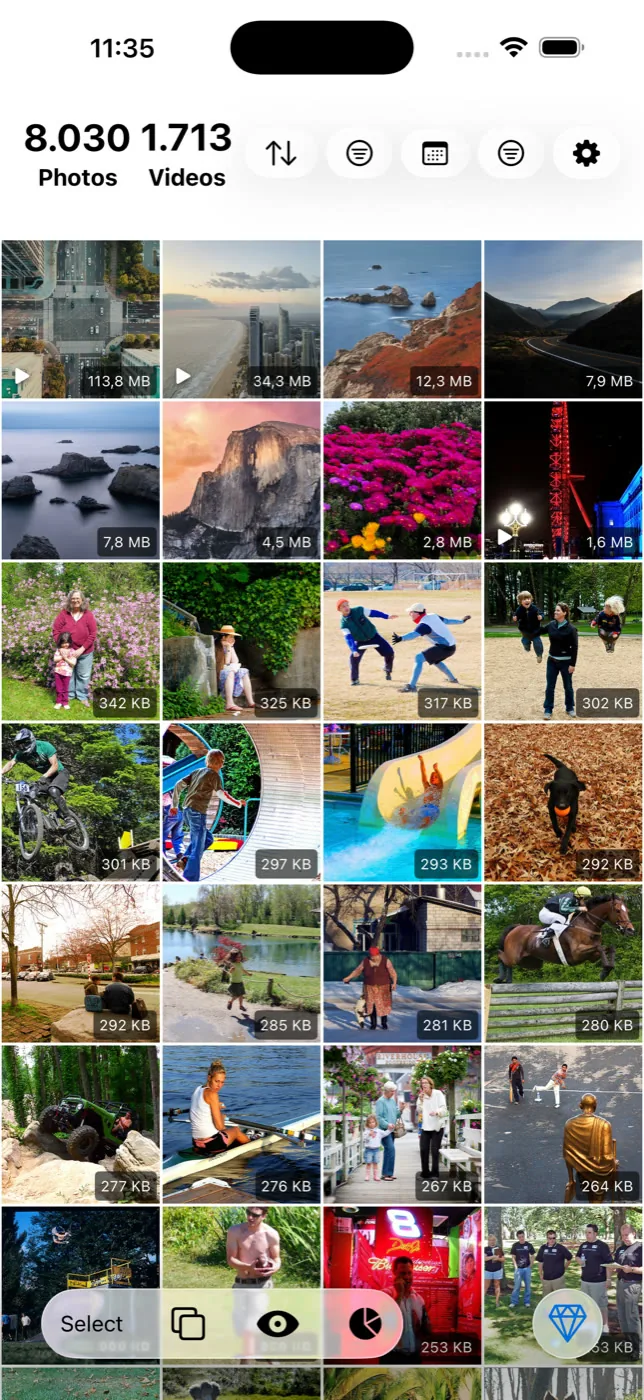
Slean's screenshot filter does the same job with full-screen review before deletion — every screenshot shown one at a time or selected in bulk, with the date and file size visible, so a keep-vs-delete pass over a year of screenshots takes minutes instead of an afternoon of scrolling.
After screenshots
Screenshots are usually a quick, satisfying win but rarely the biggest number on the list. For the fuller picture of what to clear and in what order, see freeing up storage on Android — video and messaging-app media tend to matter more.
On iPhone screenshots live in a Media Types album instead of a folder, which makes the bulk select slightly different. Here is the iPhone version.
Questions people actually ask
- Where exactly are screenshots stored on Android?
In a Pictures/Screenshots folder on the device, visible through Files by Google or any file manager. Google Photos also surfaces them under Collections, in an On this device folder — the exact naming depends on your phone and Google Photos version.
- Can I stop screenshots from cluttering my main gallery?
Not by default — most Android phones show screenshots mixed into the main camera roll alongside photos. Some launchers and gallery apps let you hide the Screenshots album from the main view, but the files remain on the device either way; hiding is not the same as deleting.
- Is it safe to delete all my screenshots at once?
For most people, yes, once you have pulled out anything you specifically need to keep — a ticket, a saved conversation, a receipt. Screenshots rarely represent moments the way photos do, which makes a bulk cull lower-risk, though it is still worth a quick pass rather than deleting completely blind.
- Do deleted screenshots go to a trash folder like other photos on Android?
Yes. Screenshots deleted from the gallery or Google Photos go to Trash before being permanently removed, the same as any other deleted photo — at least 30 days, and 60 for anything already backed up. A mistaken deletion is recoverable within that window.
- Why does Google Photos count my screenshots against my storage?
Because a screenshot is a photo file like any other from Google Photos' point of view, and if backup is turned on for screenshots specifically, it uploads and counts the same way a camera photo does. Some phones let you exclude the Screenshots folder from backup if you would rather it stay local only.
Sources
Related reading
- Android storage full? Here is what to delete, in orderLong videos first, then messaging-app media, then screenshots, then duplicates, then caches. The order matters more than the effort you put in.
- How to delete duplicate photos on AndroidFiles by Google and Samsung's My Files find exact duplicates free. The steps, why WhatsApp causes most of them, and what both tools miss.
- What a photo cleaner app on Android actually doesWhat an Android photo cleaner actually does, what to check before installing one, and what Files by Google and Google Photos already give you free.
- How to delete screenshots on iPhoneScreenshots pile up faster than almost anything else in your library, and they're the safest bulk delete you can make. Here's how to clear hundreds in a few taps.
Slean isolates every screenshot in one filter, so the whole album goes in a single pass.

