Clean your gallery. Plus the tools you’d install four apps for.
Sort by size, clear the duplicates and the near-identical shots, compress the videos you want to keep. Then crop, resize, collage or pull a Pixel Stretch — without leaving the app. All on the phone, no account, no ads.


iPhone and Android · 14 languages · No ads, no trackers, no account

On a computer? Scan this with your phone camera and it opens the right store for you.
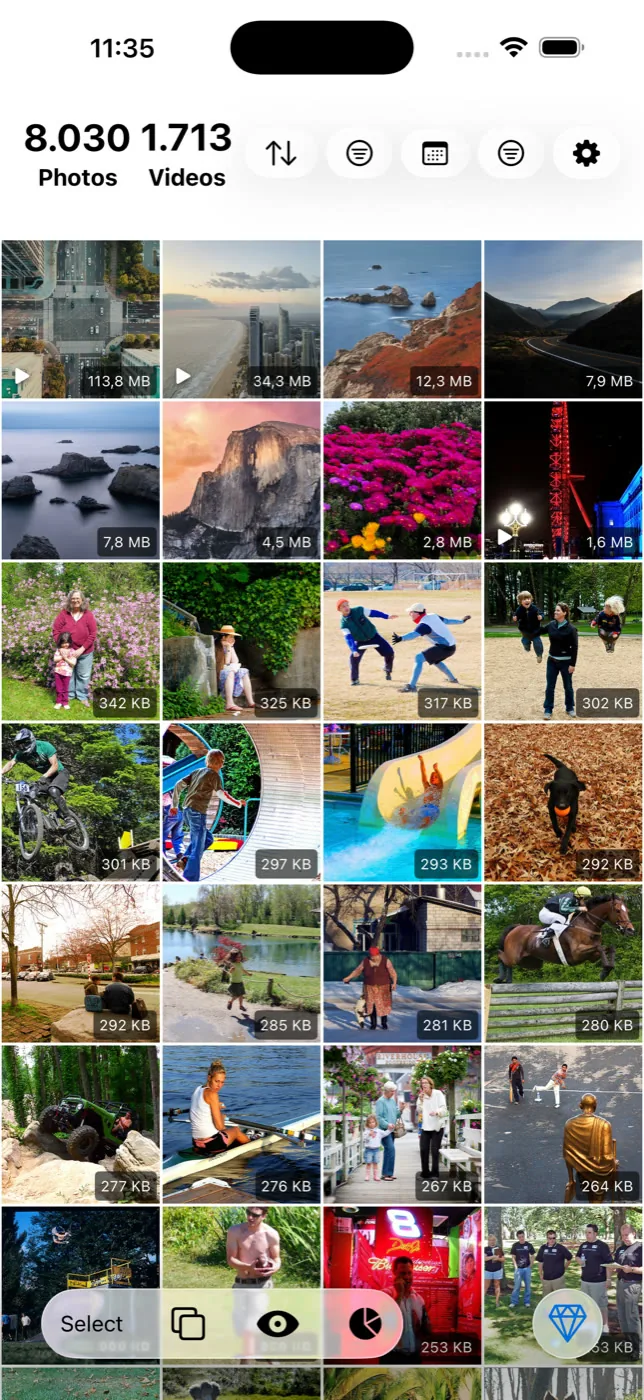
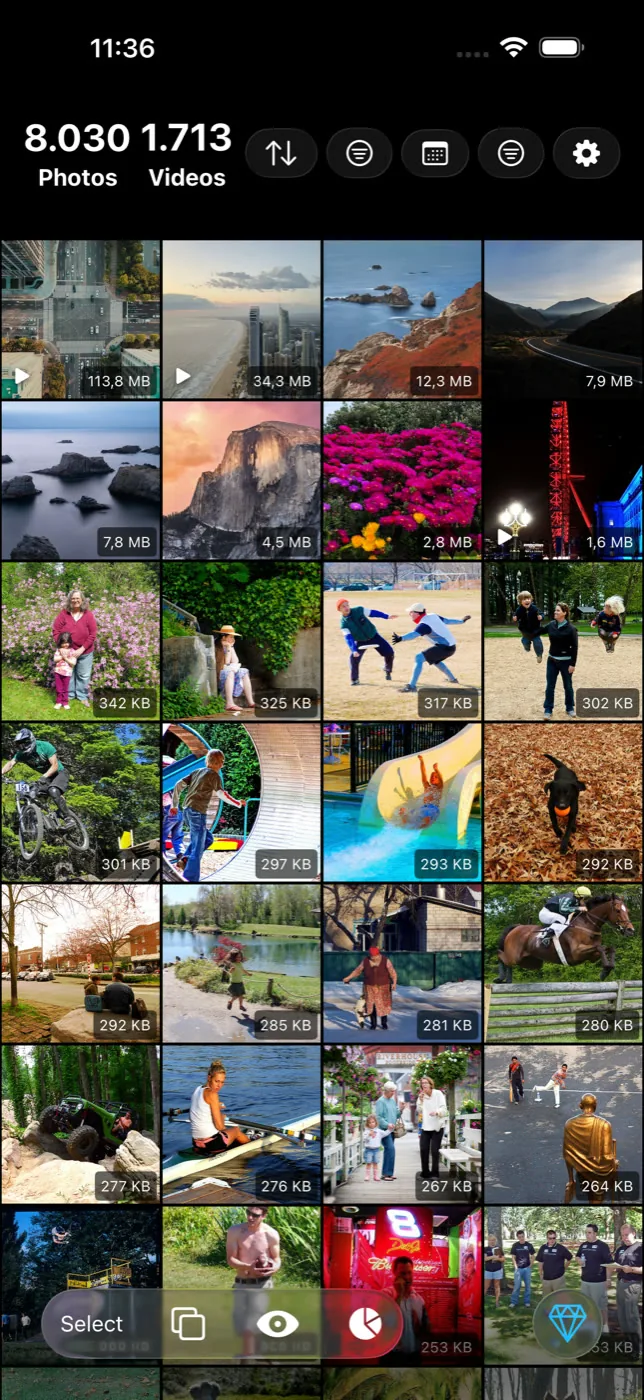
The file size on every thumbnail. It is the first thing you notice and the reason the rest of the app exists.
- 13
- Tools and features
- 100%
- On device
- 0
- Ads, trackers, accounts
What is in the app
A cleaner first. Everything else earns its place.
Sort by size
Largest file first, across your whole library or inside any filter. Your phone's gallery will not do this, and it is the fastest way to find the four videos holding a third of your storage.
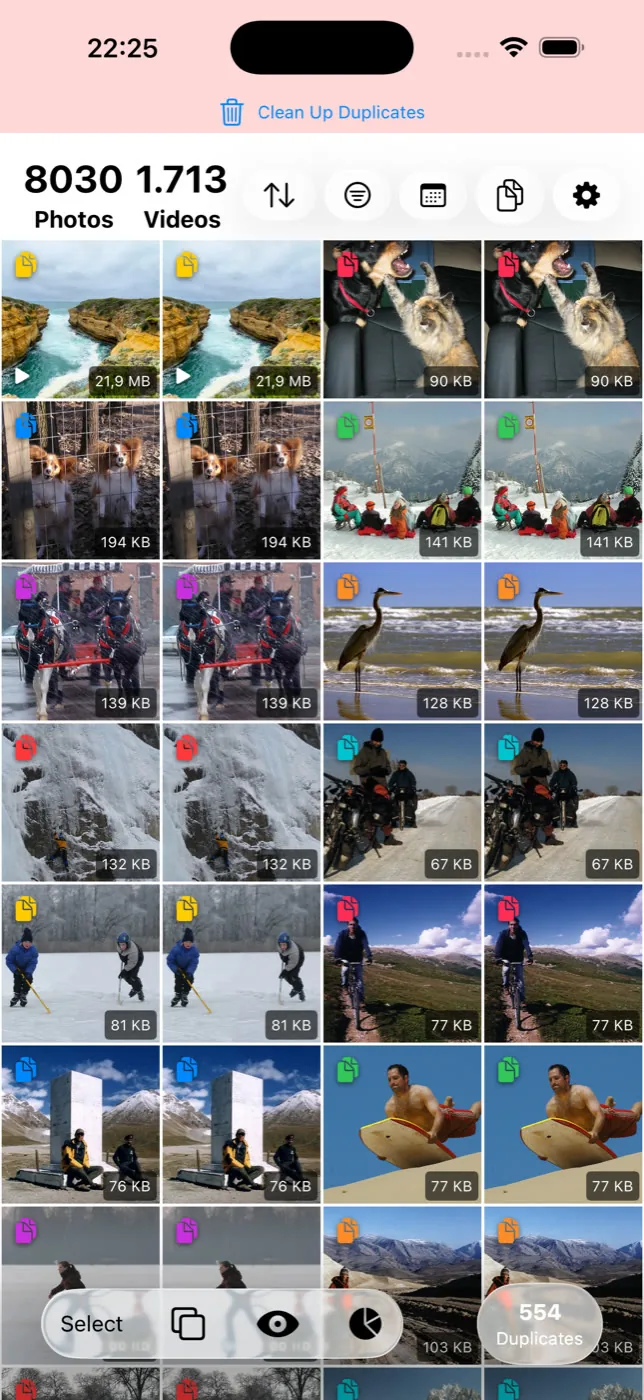
Duplicate and similar detection
Two separate passes, both running detection written specifically for Slean rather than an off-the-shelf library. Duplicates clears the copies you never need to look at. Similar groups the bursts and retakes so you can keep one.
Filters that actually narrow things down
Media type, file size range, date range, screenshots, favourites and specific albums — combined. "Videos over 100 MB from 2023" is one query, not an afternoon of scrolling.
Bulk review and delete
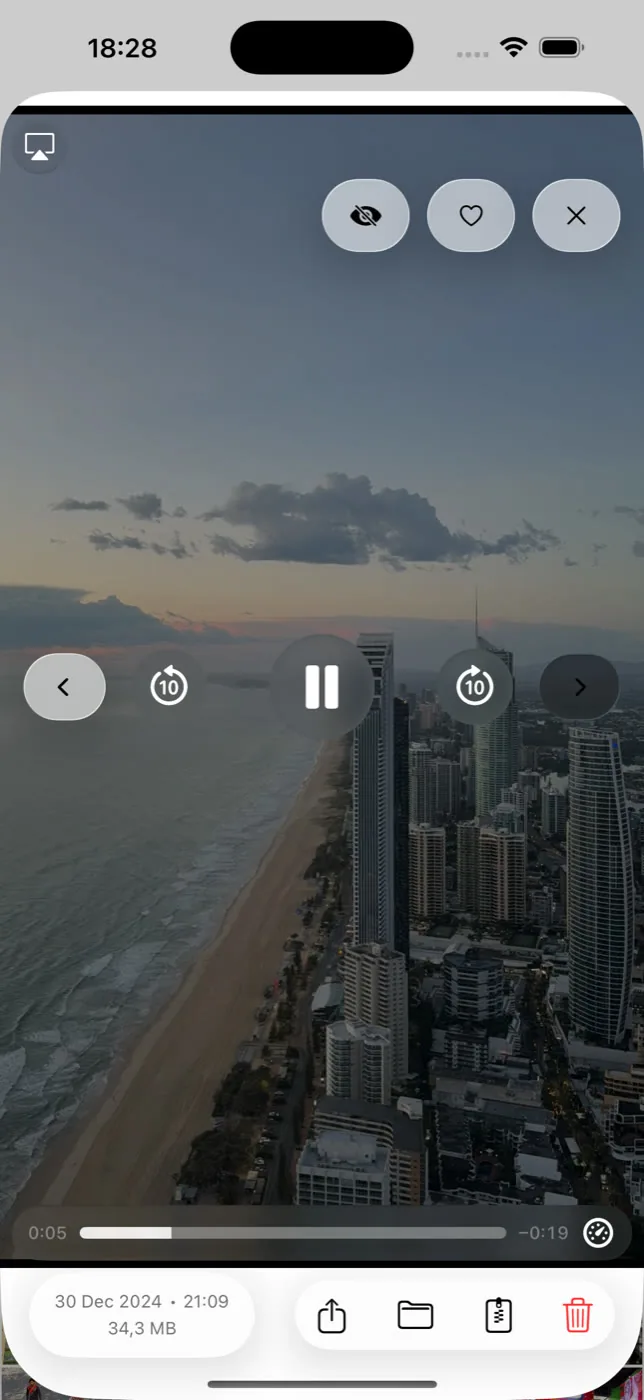
Select by dragging across the grid, review full screen with date, size and file type, then delete in one pass. Deletion is always scoped to what you have filtered.
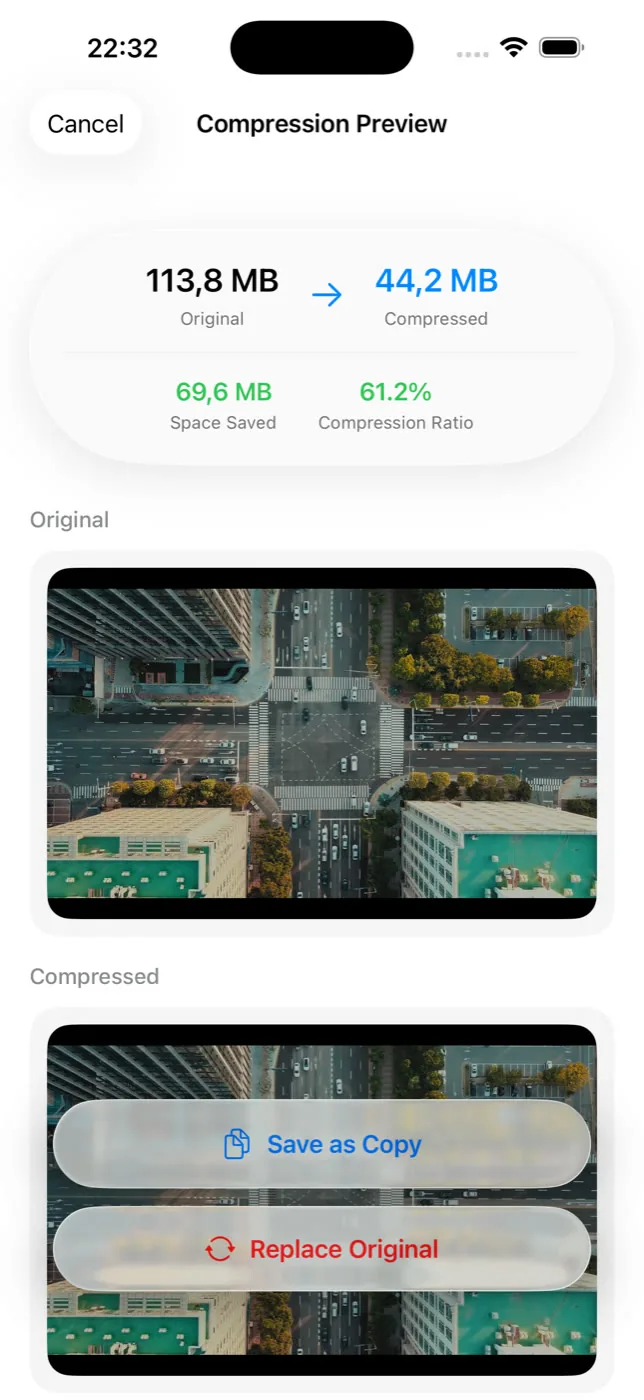
Compression with a preview
Photos and videos. You see the result and the size saving before anything is written, and you choose whether to keep the original alongside it or replace it.
Crop, resize and collage
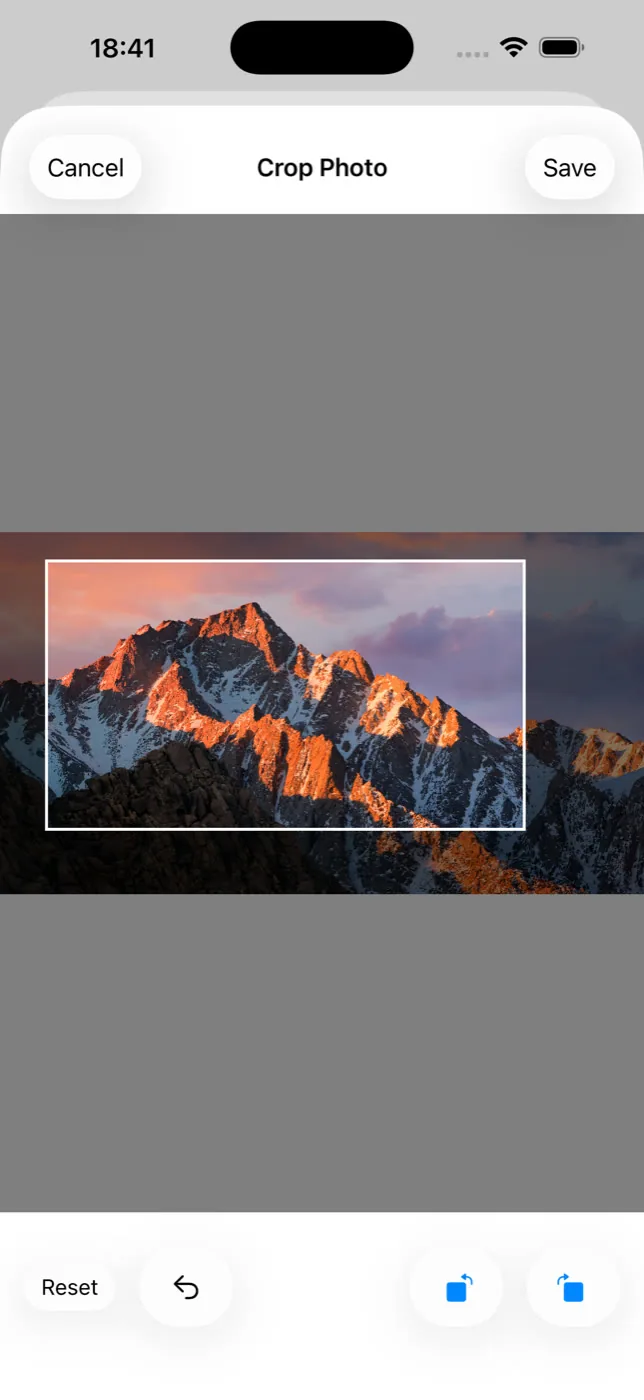
Presets for the aspect ratios you actually post in, custom dimensions, rotation, and a collage builder. All of it on the device.
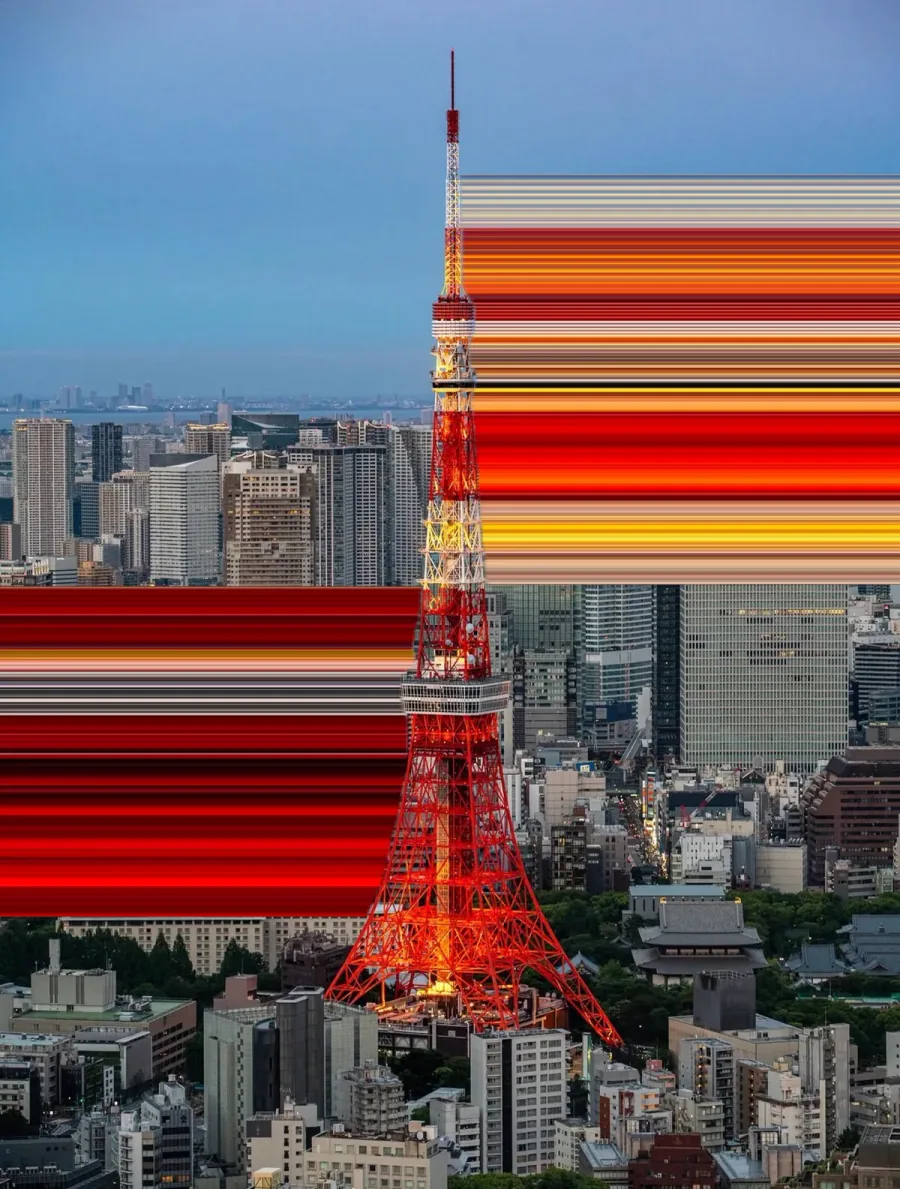
Pixel Stretch
Draw a straight or curved path across a photo and pull the colours on that line into long ribbons. Shape and falloff are yours to set, and the export is full resolution.
AI photo editingiPhone only
Describe the change you want in plain words — remove the person in the background, make it a sunset — and preview the result before you keep it.
On This Day and statistics
A prompt to look at the same date in previous years, which is a low-effort way to keep a library trimmed, plus a running record of what you have cleared.
14 languages, light and dark themes, iOS 15.0 and above, Android 8.0 and above.
Slean started because I wanted to sort my own camera roll biggest file first, and the Photos app would not let me. Sort, then clean — that is where the name came from, and the size sort is still the first thing I reach for.
How it works
Three steps, and you confirm the last one.
- 01
Scan on the device
Pick duplicates, similar shots, screenshots, large files or a date range. Slean reads your library on the phone. Nothing is sent anywhere to be analysed.
- 02
Review before anything changes
Groups open full screen with file sizes side by side, and compression shows you the before and after. Nothing is deleted or replaced until you confirm it.
- 03
Free the space your way
Delete what you picked, compress what you want to keep, or save a smaller copy and leave the original. Deleted items land in Recently Deleted or Trash, so a mistake is recoverable.
Privacy
What “on-device” means here, and where it stops.
Nearly every photo cleaner says it processes photos on the device, and most of them mean it. It has stopped being a way to tell them apart.
What differs is everything around the processing. An app can analyse your library locally and still show ads, carry an advertising SDK, require an account, and report what you do back to an analytics service.
In Slean: sorting, scanning, duplicate and similar detection, every filter, compression, crop, resize, collage and Pixel Stretch happen on the phone. There is no account, there are no ads, and there are no trackers.
You do not have to believe a marketing page about any of this. Open the App Store listing of whichever cleaner you are weighing up, ours included, and read the App Privacy section. It takes a minute and it is more useful than the copy on the website.
| Worth checking | Common in the category | Slean |
|---|---|---|
| Where scanning happens | Usually the device, sometimes a server | The device |
| Ads | Common, often between actions | None |
| Analytics and trackers | Common | None |
| Account required | Sometimes | Never |
| Scope | "Everything apps": junk files, boosters, battery | Your photo library, done properly |
The middle column describes the category, not any one app. Check the store listing of whichever cleaner you are looking at.
Built natively
Swift on iPhone, Kotlin on Android. Not one codebase wrapped twice.
Slean is written in Swift and SwiftUI on iOS and in Kotlin and Jetpack Compose on Android. There is no cross-platform layer in between, which is why it moves like the photo app already on your phone rather than like a website in a wrapper.
That is not a feature you can screenshot, but it is what you feel: the grid scrolls without stutter on a forty-thousand-photo library, a size sort comes back immediately, and a full-resolution export finishes instead of showing you a spinner.
Not only cleaning
Pixel Stretch, in the same app as the cleaner.
Draw a line across a photo and the colours on that line pull into long ribbons. Straight or curved, shape and falloff yours to set, exported at full resolution — on the phone, like the rest of the app.
Cleaning a library and making something out of it are the same afternoon, so the tools live in the same place. Crop, resize and collage sit alongside it, on the photos you just finished sorting. How the effect works.
 BeforeAfter
Drag to compare
Screens
What it looks like on the phone.
Library
Duplicates
Compression
Dark mode
Full-screen review
Crop and resize
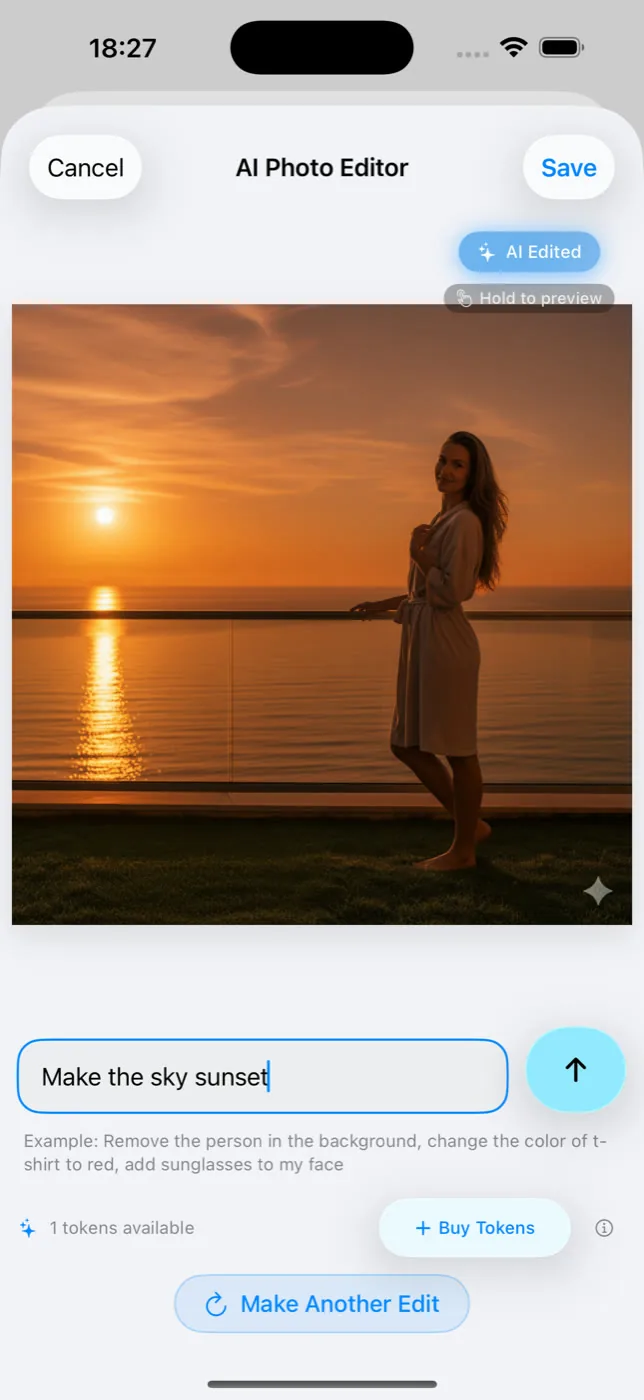
AI editing
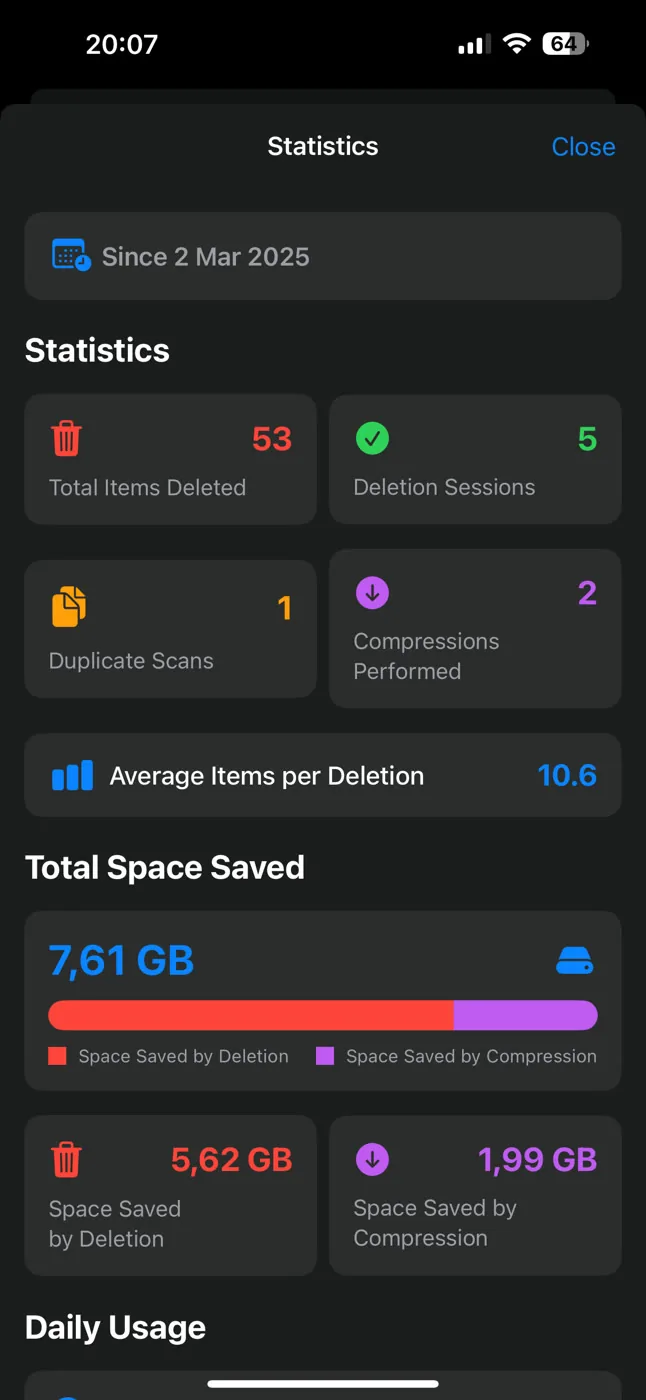
Statistics
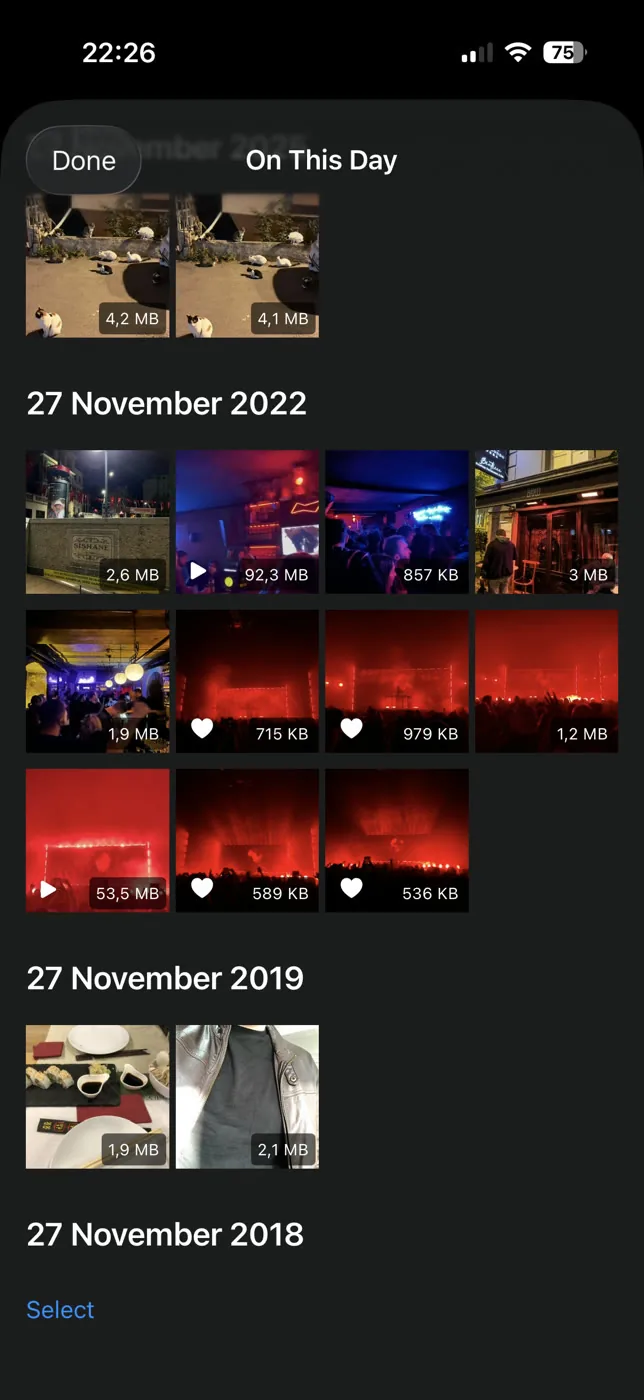
On This Day
9 screens
Start here
Written by the person who builds the app, mostly to answer things people keep emailing about.
- Duplicate photos and similar photos are not the same problemA duplicate is a second copy of one photo. A similar photo is a different photo that looks close to it. Most phones only find the first kind.
- Best photo cleaner app for iPhone: five names, and how to choose between themFive iPhone photo cleaners compared on what their listings let anyone check: privacy label, cost, what they find. Plus the two-minute test for which kind you need.
- What the iPhone's Duplicates album finds, and what it quietly skipsThe Photos app has a built-in duplicate finder. It works well, it is free, and it only looks for copies. Here is where it stops and what to do about the rest.
- "Free up space" in Google Photos does not clean anythingFree up space deletes local copies of photos already backed up. Your phone gets emptier, your library does not. Here is what to do instead.
- How to find similar photos on iPhoneThe Photos app has no similar-photo finder — only a Duplicates album, and that's a different thing. Here is what actually helps, and what still needs an app.
- What a photo cleaner app on Android actually doesWhat an Android photo cleaner actually does, what to check before installing one, and what Files by Google and Google Photos already give you free.
- The pixel stretch effect, and how to make one on a phonePixel stretch repeats one line of pixels across a photo, turning colour into long ribbons. How the effect works, and how to make one on a phone.
Common questions
- Does Slean upload my photos anywhere?
No. Sorting, scanning, duplicate and similar detection, filtering, compression and the photo tools all run on your phone. Slean has no server that holds your library and no account that identifies you.
- Do I need an account?
No. There is no sign-up, no email and no login. You install Slean and it works.
- Is Slean free to download?
Yes, on both the App Store and Google Play. The free app covers things like sorting by size, every filter, duplicate and similar scanning, screenshot cleanup, full-screen review, deleting, crop and rotate, On This Day and your cleanup statistics — more than enough to clear a library.
- How much space will it actually free up?
It depends entirely on your library, and anyone quoting a number is guessing. What is usually true is that a handful of long videos outweighs hundreds of duplicates, which is why Slean puts the file size on every thumbnail and lets you filter by size before you start deleting.
- Does it work on Android as well as iPhone?
Yes, and not as an afterthought. Most photo cleaners are iPhone-only or ship a thin Android port. Slean is written natively for each — Swift on iOS, Kotlin on Android — and sorting, detection, filters, compression, crop, resize, collage and Pixel Stretch all work the same on both.
- Can I get photos back if I delete the wrong one?
Yes, through the phone rather than through Slean. Deleted items go to Recently Deleted on iPhone or Trash on Android and stay there for at least 30 days.
- How is this different from the duplicate finder already on my phone?
The built-in tools are aimed at copies of the same image. In practice they do not group bursts, retakes or near-identical shots, which is where most of the volume sits. Slean runs both passes, and adds filters for screenshots, file size and long videos.
- What is Pixel Stretch?
A photo effect that takes one line of pixels and repeats it across part of the frame, turning the colours on that line into long ribbons. You draw the path yourself, straight or curved, and the export is full resolution. It runs on the device like the rest of the app.
Free on both stores
Sort, scan, filter, review and clear your library. No account, no ads.