How to delete duplicate photos on Android
To delete duplicate photos on Android, open Files by Google, go to Menu → Clean and tap the Duplicate files card, which marks one copy as the original to keep. On Samsung, use My Files, then Analyze storage, then Duplicate files — select carefully there. Neither tool finds photos that merely look alike.
By Emre, who builds Slean. Updated 1 September 2026.
Start with the free tool already on your phone. It costs nothing, needs no install, and clears the risk-free case in a couple of minutes.
Files by Google
- 1Open Files by Google (most Android phones have it preinstalled; otherwise it is free on the Play Store).
- 2Open the menu and tap Clean.
- 3Find the "Duplicate files" card and tap it.
- 4Review the groups. Files by Google marks one copy per group as the original.
- 5Select the copies you want gone, or select all, and confirm delete.
This finds photos, videos, and other duplicate files across your storage, not only in the Pictures folder, which is worth knowing because that is exactly where the biggest source of Android duplicates hides.
Samsung: My Files
- 1Open My Files.
- 2Tap the three-dot menu, then Analyze storage (the exact wording can vary by One UI version).
- 3Wait for the scan, then open Duplicate files.
- 4Review each group before selecting.
My Files does not always protect the original the way Files by Google does. Selecting an entire group and deleting can remove every copy, original included, so check what is selected before confirming rather than trusting "select all" by default.
Why WhatsApp and Telegram are the biggest source
If you are surprised how many duplicates turn up, this is almost always why. When someone sends you a photo on WhatsApp, it saves into a WhatsApp media folder. If you then also save that same photo to your main Pictures folder — tapping a save icon, or because auto-save-to-gallery is on for the chat — you now have the identical image sitting in two places. Do that across a few years of group chats and forwarded photos, and it adds up to a real chunk of storage, all of it exact, byte-for-byte duplication.
Telegram behaves the same way, as does any messaging app with its own media folder plus a save-to-gallery option. This is mechanical, not something you did wrong — the same photo ends up in two folders because two different actions each saved a copy.
What these tools miss
Both tools match files that are effectively the same image. They do not catch a photo that was re-saved at a smaller size through a messaging app, which is technically a different file even though it looks the same. And they will never group photos that are merely similar rather than identical — six photos of the same person in the same spot are six distinct files as far as any duplicate-file scanner is concerned. That is a separate problem with a different fix.
They also will not tell you which duplicate is the better-quality one when the files genuinely differ — a resaved WhatsApp copy is usually smaller and slightly worse than the original camera file, and it is worth checking file size before deleting the one you assume is the copy.
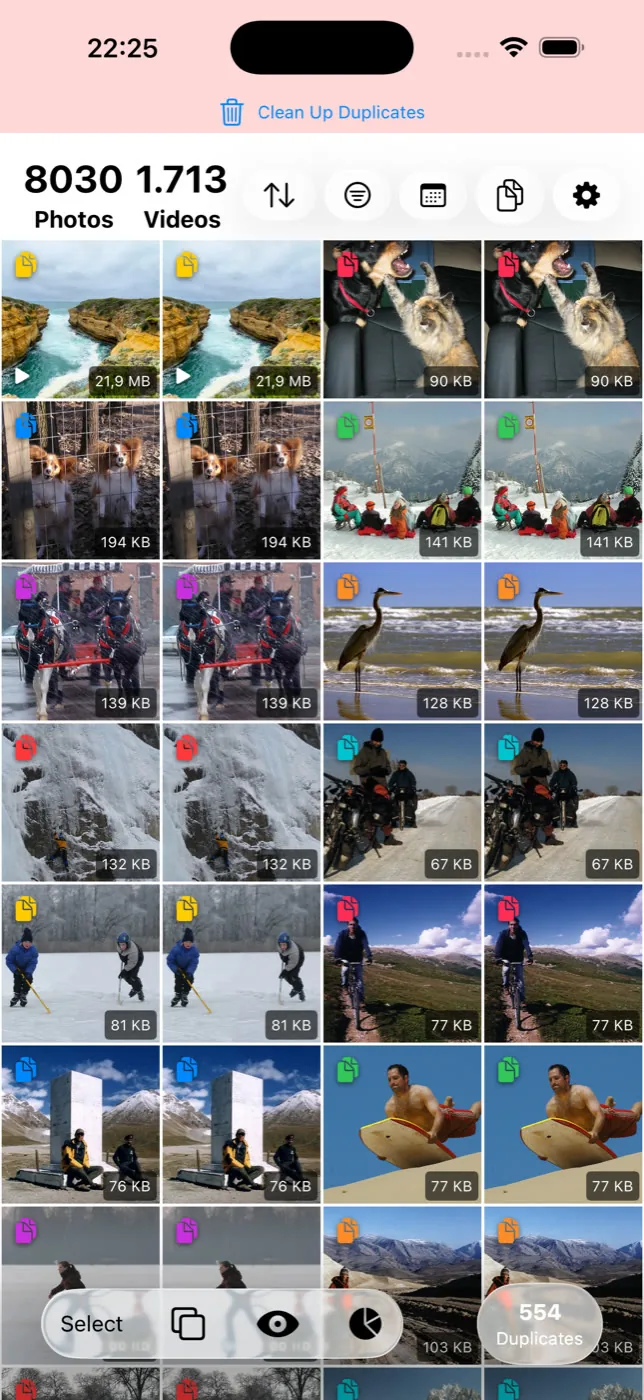
After the free pass
Once Files by Google or My Files comes back empty, the exact-duplicate problem is solved. What is usually left is bigger: near-identical shots you took on purpose, screenshots, and large videos, which is a separate cleanup covered in freeing up storage on Android.
iPhone has its own built-in duplicate finder with its own blind spots — the same free-tool-first logic applies. What the iPhone Duplicates album does and does not catch.
Questions people actually ask
- Will Files by Google delete the original photo, not just the copy?
It should not — Files by Google marks one file per group as the original and lets you select the rest. Review each group before confirming, particularly for photos that came through a messaging app, where the "original" it picks may not be the highest-quality version.
- Why do I have so many duplicate photos from WhatsApp?
Because WhatsApp saves received media into its own folder, and if you also save the same photo to your main gallery — manually or through auto-save — you end up with two identical copies in two different folders. This is the single largest source of exact duplicates on most Android phones.
- Does deleting duplicate photos on Android free up Google Photos storage too?
Only if the duplicate had already been backed up to Google Photos and you delete it from there as well as the phone. Deleting a local file that Google Photos already backed up does not remove the cloud copy on its own.
- Is it safe to select all and delete every duplicate at once?
In Files by Google, generally yes, since it protects one copy per group by default. On Samsung's My Files, be more careful — selecting an entire group there can delete the original along with the copies, so check the selection before confirming.
- Can I find duplicate photos across Google Photos and my phone's local storage at the same time?
Not with a single built-in tool. Files by Google scans local storage on the device. Google Photos has no separate duplicate finder of its own — it merges some obvious duplicates automatically on upload, but it is not a tool you run on demand.
Sources
Related reading
- What a photo cleaner app on Android actually doesWhat an Android photo cleaner actually does, what to check before installing one, and what Files by Google and Google Photos already give you free.
- How to find similar photos on AndroidAndroid finds duplicate files but has no tool for near-identical photos. What Google Photos does instead, and how to clear a library full of them.
- Android storage full? Here is what to delete, in orderLong videos first, then messaging-app media, then screenshots, then duplicates, then caches. The order matters more than the effort you put in.
- What the iPhone's Duplicates album finds, and what it quietly skipsThe Photos app has a built-in duplicate finder. It works well, it is free, and it only looks for copies. Here is where it stops and what to do about the rest.
When the free tools come back empty, Slean finds the near-identical shots they were never looking for.

