How to find a photo cleaner for Android that is worth installing
On Android, Files by Google finds duplicate files and Google Photos offloads backed-up copies, both free. Neither groups near-identical photos and neither sorts a library by file size, so those two capabilities are what a third-party photo cleaner has to add. Judge one on those, plus its permissions, its ads and whether it needs an account.
By Emre, who builds Slean. Updated 1 September 2026.
The Android shelf is worse than the iPhone one. Search "photo cleaner" and most of what comes back is a junk-file scanner with a boost button, because that template is cheap to build and looks impressive in a screenshot.
Filtering it is easier than it looks, because the free tools already draw the line for you.
Use the free tools first
Files by Google has a duplicate-files card under Menu → Clean. It finds exact copies across your storage, not just in Pictures, and marks one as the original to keep. On Samsung phones, My Files has an Analyze storage section with the same idea — with the caveat that selecting an entire group there can remove the original along with the copies.
Google Photos' Free up space clears local copies of photos already backed up. That is offloading rather than cleaning — the photos stay in your library and still count against your Google storage — but it is the fastest way to recover phone storage and it costs nothing. The full explanation is here.
For a lot of people that is a real chunk of the problem solved before installing anything. The step-by-step is here.
What none of them do
Two things, and they are the two worth paying attention to.
- Near-identical photos. Android has no built-in tool that groups bursts, retakes or several tries at one shot. They are separate files, so a duplicate-file scanner is not looking for them. More on that gap.
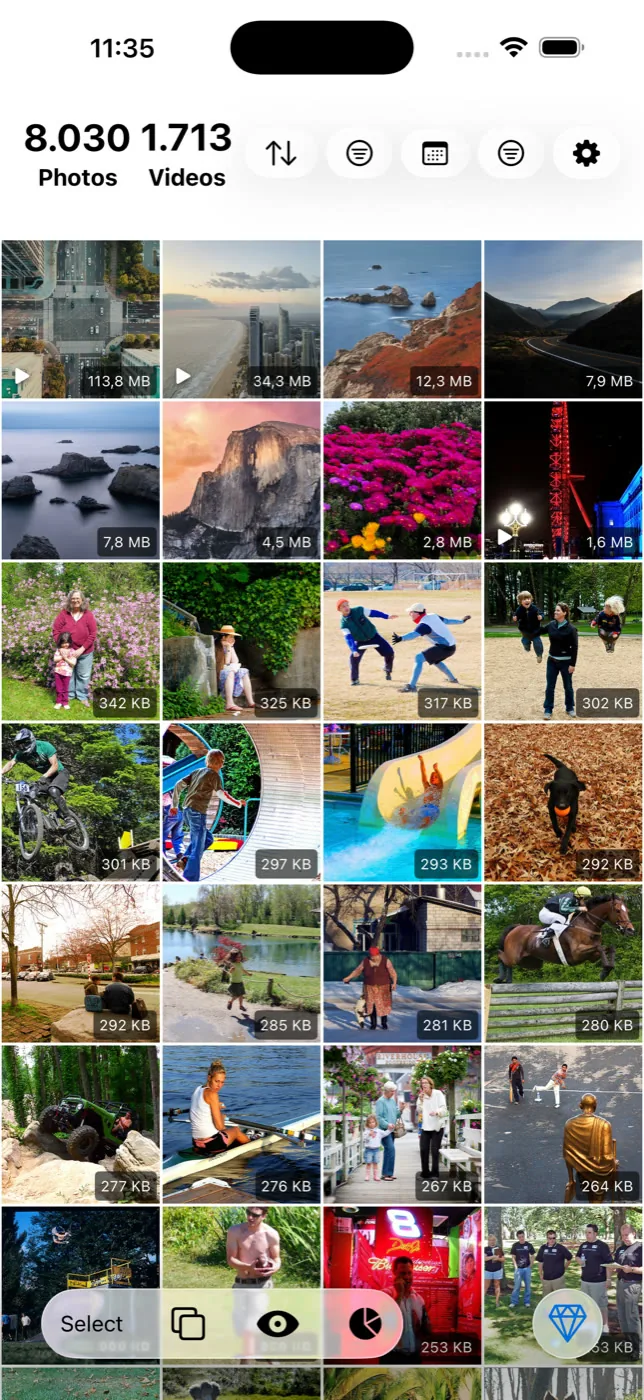
- File size order. Settings, then Storage, gives you a breakdown by category but not by individual file, and most gallery apps offer no size sort at all. So the four clips holding a third of your storage stay invisible.
Four checks before you install
- Permissions. A photo cleaner needs media access. Contacts, SMS, call logs and location have nothing to do with finding duplicate photos, and a request for them tells you what the product actually is.
- Ads. A full-screen ad before you can see your own scan results tells you where the incentive sits.
- An account requirement. Scanning a library that lives on your phone does not require identifying you.
- "System junk" and speed claims. Since Android tightened storage permissions an ordinary app cannot reach inside other apps' files, so what gets counted as junk is mostly cache that rebuilds itself. Treat the claim as a signal, not a feature.
One Android-specific thing to know
Messaging apps are the single biggest source of duplicate photos on Android. A photo saved from a chat lands in that app's media folder, and saving it again to your gallery gives you two identical files in two places. Across a few years of group chats that adds up, and it is all exact, byte-for-byte duplication that the free tools handle well.
Menu paths differ between Samsung's One UI, Pixel and other skins. If a guide's wording does not match your phone, look for the nearest equivalent rather than assuming the feature is missing. The full storage order for Android is here.
Questions people actually ask
- Does Android have a built-in photo cleaner?
Not a single one, but two free tools cover parts of it. Files by Google finds duplicate files under Menu → Clean, and Google Photos' Free up space removes local copies of backed-up photos. Neither groups near-identical shots.
- Are Android photo cleaner apps safe?
Some are, many are not. The category is full of apps built to run ads against a vague clean action. Check the permissions requested, whether an account is needed, and whether it claims to clean system junk or speed up the phone — none of which a photo cleaner genuinely does.
- Why does a cleaner say it found gigabytes of junk?
Usually because it is counting app caches, which rebuild the moment you open the app again and which Android already clears under storage pressure. A large junk number is easy to display and is not the same as storage permanently recovered.
- Will deleting photos on my phone delete them from Google Photos?
If backup is on and you delete from within Google Photos, yes — it goes from both. Deleting a local copy through a file manager does not remove the backed-up version. Check which one you are actually deleting before a large pass.
- Does an SD card help?
On phones that still support one, moving media to it frees internal storage without deleting anything. It does not reduce the number of files, so a library that is unpleasant to scroll stays unpleasant to scroll.
Sources
Related reading
- How to choose a photo cleaner, in about five minutesSix checks you can run on a store listing before installing anything, and the two questions that actually separate a good photo cleaner from a bad one.
- What a photo cleaner app on Android actually doesWhat an Android photo cleaner actually does, what to check before installing one, and what Files by Google and Google Photos already give you free.
- How to find similar photos on AndroidAndroid finds duplicate files but has no tool for near-identical photos. What Google Photos does instead, and how to clear a library full of them.
Slean on Android groups the near-identical shots and sorts by file size — the two things the free tools leave out.

