Photo cleaner apps raise two different safety questions, not one
"Safe" bundles two separate worries: will a photo cleaner leak your photos, and will it delete something you wanted. On the first, most cleaners including Slean process your library on the device. On the second, a good cleaner shows every group before acting, and both platforms keep deleted items recoverable for weeks afterwards.
By Emre, who builds Slean. Updated 1 September 2026.
"Is this safe" is really two questions wearing one sentence. One is about your data: could this app leak my photos. The other is about your library: could this app delete something I wanted to keep. They have different answers, and treating them as one question is how people end up either over-trusting an app or avoiding a useful one for the wrong reason.
Will it leak your photos
This is the upload question, and most cleaners genuinely don't upload your library — comparing photos that are already on the phone is simpler to do locally than to send them anywhere. The way to verify it for a specific app rather than take the claim on faith is the privacy label on its store listing, plus a quick check for ads, trackers and a login screen.
Will it delete something you wanted
This is the more common fear in practice, and the reassuring part is structural rather than a promise: a deleted photo doesn't vanish immediately. On iPhone it moves to Recently Deleted for around 30 days. In Google Photos on Android, a backed-up photo stays in Trash for 60 days, and one that was never backed up for 30. Either way a mistaken delete is recoverable without needing a backup.
- Nothing should delete on its own. A cleaner can suggest a group, but the choice to remove it should be yours, made after seeing what's in the group.
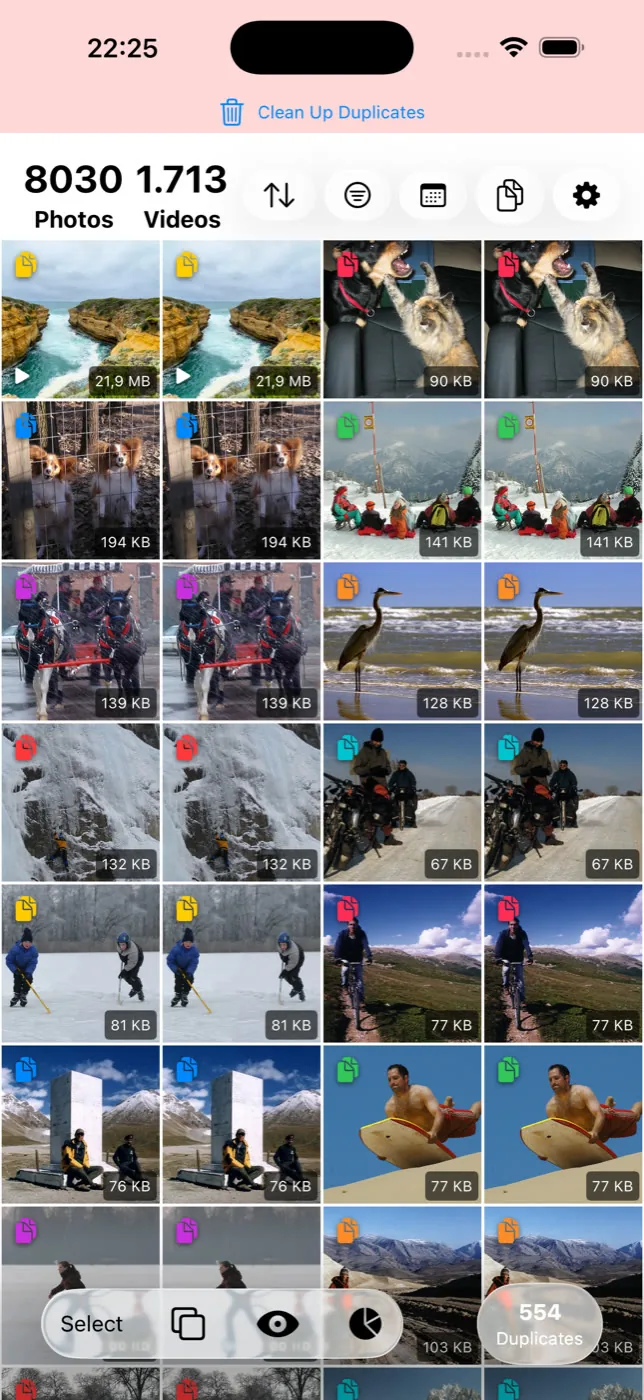
- Review should show the actual photos, not a summary. "14 duplicates found" tells you nothing about what's in them. A full-screen look at each group is what lets you catch a mistake before it happens.
- Deleting is scoped to what you selected. A bulk-delete pass should only touch the group or filter you're looking at, not quietly extend to the rest of the library.
The risks worth actually watching for
The genuine risk isn't that a cleaner deletes photos — every cleaner deletes photos, that's the product. It's in three specific patterns:
- Auto-select. An app that pre-ticks a group's "keeper" for you and expects you to notice if it picked wrong. Read what's already selected before you tap delete, every time.
- A buried or skippable review step. If the fastest path through the app is one tap from "scan" to "delete", the review step is decorative. Look for a flow that makes you look at the photos, not just acknowledge a count.
- Permissions that have nothing to do with photos. Contacts, precise background location, or the microphone showing up in the request for a photo cleaner is a mismatch worth questioning, independent of whether the app is otherwise well-behaved.
If you've already deleted the wrong thing
Open the Photos app's Recently Deleted collection on iPhone, or the Trash in Google Photos or your gallery app on Android. Anything removed recently should still be sitting there, recoverable with a couple of taps. Exactly where to find it is covered on the iPhone and Android duplicate-removal pages. Once the window closes it's gone for good, which is the one case worth a backup before a large cleanup pass.
Questions people actually ask
- Can a photo cleaner delete my photos without asking?
It shouldn't. A well-built cleaner shows you every group before acting and waits for your choice. If an app promises "one-tap clean" with no review step shown anywhere in its screenshots, treat that as a warning sign rather than a convenience.
- What happens if a cleaner deletes the wrong photo?
They move to a recovery folder first — Recently Deleted on iPhone, Trash on Android — rather than disappearing. On iPhone that is around 30 days. In Google Photos, a backed-up item stays in Trash for 60 days and an item that was never backed up for 30. Restore from there without needing a backup, as long as you catch it in time.
- Do I need to back up before using a cleaner app?
It's good practice before any large bulk-delete pass, cleaner app or not. The 30-day recovery window covers most mistakes, but it's a window, not a permanent safety net, and it doesn't help if you don't notice the mistake in time.
- What does 'auto-clean' mean, and is it risky?
It usually means the app has picked a keeper from each group for you and is one tap away from removing the rest. It isn't unsafe by itself, but it removes the step where you actually look at the photos, which is where mistakes get caught.
- Does Slean ask for confirmation before deleting?
Yes. Groups are shown full-screen for review, nothing is pre-selected, and deletion only happens after you choose what to remove. There is no swipe-to-delete flow that could act on a photo you didn't mean to touch.
Sources
Related reading
- Most photo cleaner apps don't upload your photos, but that isn't the whole questionMost cleaners process photos on the device and never upload them. But local processing and data collection are two different things — here's how to tell them apart.
- Finding a photo cleaner that doesn't run on ads and trackersThe photo cleaner category is unusually ad-heavy. Here's why, what comes bundled with an ad-supported cleaner, and the checks that find one that isn't.
- How to read the privacy label on a photo cleaner's store listingPrivacy labels are developer-declared, not audited — but they're still the fastest real check on any app. What each term means and what to look for.
Slean shows every group before deleting anything, and nothing is ever pre-selected for you.

