A photo cleaner that works on both iPhone and Android
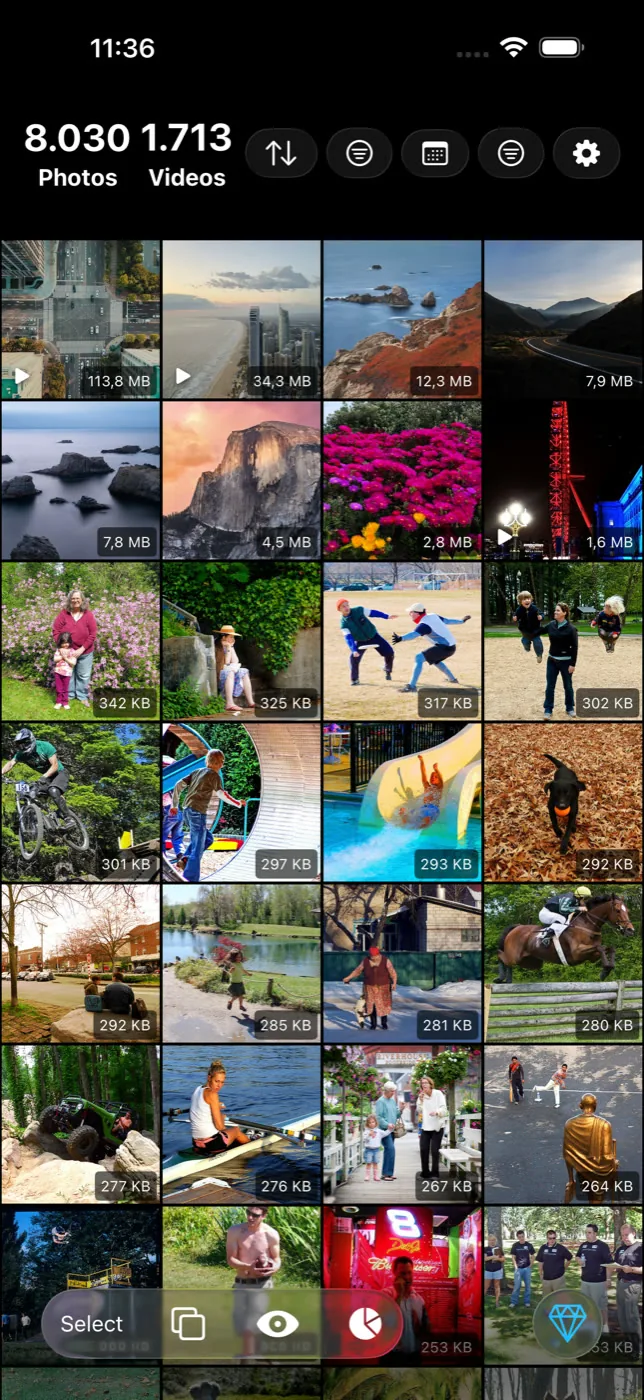
Most well-known photo cleaners are iPhone-only, and several that do ship on Android ship a reduced version. Slean is written natively for each platform — Swift and SwiftUI on iOS, Kotlin and Jetpack Compose on Android — with the same duplicate and similar detection, filters, size sorting, compression and photo tools on both.
By Emre, who builds Slean. Updated 1 September 2026.
This is a smaller search than "photo cleaner" and a much less contested one, because the honest answer is that most of the category never leaves iOS.
It matters in a specific situation: two phones on different platforms, and you want to learn one app rather than two. Or you switched platforms and want the thing you already know how to use.
Why so few cleaners are on both
Photo libraries are one of the least portable parts of a phone. PhotoKit on iOS and the media store on Android expose different things, behave differently around permissions, and fail differently. A cleaner is not a form with a submit button; it is a lot of platform-specific plumbing.
The usual answers are to skip Android, or to ship a cross-platform wrapper that technically runs there. The second is where "available on Android" stops meaning much — a wrapper on a forty-thousand-photo grid feels like a wrapper.
What to check on the Android listing
- Are the screenshots actually Android? Ported listings often show iOS screens with rounded iPhone corners and iOS system fonts.
- Does the feature list match the iPhone page? A shorter Android list usually means a reduced build rather than a different design.
- Recent reviews on Android specifically. Cross-platform builds get complaints about scrolling and permissions that the iOS reviews never mention.
- Update dates on both stores. If Android lags months behind, it is a second-class build.
How Slean handles it
Two native codebases. Swift and SwiftUI on iOS, Kotlin and Jetpack Compose on Android. No cross-platform layer, which is why each version moves like the photo app already on that phone rather than like a website in a frame.
The cleaner is the same on both: duplicate and similar detection, sorting by file size, filters for media type, size range, date, screenshots, favourites and albums, bulk review and deletion, photo and video compression, crop, resize, collage, Pixel Stretch, On This Day and statistics. Available in 14 languages on both.
One difference, stated plainly: AI photo editing is an iPhone feature and is not on Android. Nothing in the cleaner depends on it.
If you are moving between platforms
A platform switch is the moment a library gets messy: transfers duplicate things, and the tidy habits you had do not survive the move. It is also the best possible time to run a cleanup, because you are about to look at every photo you own anyway.
The order that works: clear the duplicates and the near-identical shots first, then move, then back up. Doing it the other way means transferring and backing up clutter you were about to delete.
Questions people actually ask
- Which photo cleaners work on both iPhone and Android?
Fewer than the size of the category suggests. Several of the best-known cleaners never ship an Android version at all, and some that do ship a reduced one. Slean is on both, built natively for each rather than through a cross-platform wrapper.
- Is the Android version of Slean the same as the iPhone one?
For cleaning, yes: duplicate and similar detection, sorting by file size, all the filters, bulk review, compression, crop, resize, collage and Pixel Stretch are on both. AI photo editing is iPhone-only.
- Should I clean my photos before or after switching phones?
Before. A transfer copies everything, including the four versions of one photo you were going to delete, and it is slower and larger for it. Clear first, then move, then back up.
- Why does it matter whether an app is native?
On a photo grid, it is the difference you feel. Scrolling forty thousand thumbnails, decoding previews and responding to a size sort are exactly the operations that a cross-platform layer adds cost to. It is not a feature you can screenshot, but it is why one app feels like the phone and another does not.
Related reading
- How to choose a photo cleaner, in about five minutesSix checks you can run on a store listing before installing anything, and the two questions that actually separate a good photo cleaner from a bad one.
- What Slean isSlean is a photo and video cleaner for iPhone and Android. It sorts by size, groups duplicates and near-identical shots, and runs on the phone.
Slean is native on iPhone and Android, with the same cleaner, the same filters and the same size sort on both.

